Fukuoka eSIM Guide 2026: Plans, Airport Wi-Fi, Kitakyushu
Which Fukuoka eSIM to buy for a weekend, a week or a month in Fukuoka City and Kitakyushu, with Airalo, Yesim and Drimsim prices checked 2026-11-02, plus how to get online at Fukuoka Airport, Kitakyushu Airport and Hakata Port.

The right Fukuoka eSIM depends on three things: how long you’re staying, whether you’ll hop over to Kitakyushu, and how you arrive. Fukuoka Airport is two subway stops from Hakata. Kitakyushu Airport sits on an artificial island 24 hours a day. The ferry from Busan docks at Hakata Port at breakfast time. Each arrival has its own small trap, and this guide covers all three, along with which of our three eSIM partners fits which trip. Every price below was checked on 2 November 2026. For Japan-wide plans and pocket Wi-Fi, see the Japan eSIM guide; this page is about landing in these two cities and being online before your bag comes round.
The quick answer
| Your trip | Buy this | Price (checked 2026-11-02) |
|---|---|---|
| Weekend in Fukuoka | Airalo Moshi Moshi 1 GB / 3 days, or 3 GB / 3 days | $4.00 (¥650) or $7.50 (¥1,250) |
| A week, with a Kitakyushu day | Airalo Moshi Moshi 5 GB / 7 days | $10.00 (¥1,650) |
| 8 days or more, flexible dates | Yesim 5 GB or 10 GB, both valid 30 days | $10.56 or $19.20 |
| Short trip, heavy data | Airalo unlimited 3 days | $11.50 (¥1,900) |
| Two weeks to a month, heavy use or hotspot | Yesim unlimited 14 or 30 days | from $4.20 a day |
| Travelling as a group | Yesim, 10% off when you buy 2 or more | |
| Phone without eSIM, or Korea and Japan on one SIM | Drimsim physical SIM, pay per MB | €0.01/MB plus the €10 card |
See Airalo’s Japan plans · See Yesim’s Japan plans · See Drimsim’s Japan rate
Airalo vs Yesim vs Drimsim
All three are data-only. None gives you a Japanese phone number, so keep your home SIM in the phone for two-factor texts and switch its data roaming off.
Airalo (Japan plan “Moshi Moshi”). Runs on SoftBank and KDDI, covers all of Japan, and the validity clock starts when the eSIM first connects to a Japanese network, so you can install it at home and not lose a day. Plans are rechargeable from the app. Fixed-data prices: 1 GB / 3 days $4.00 (¥650), 3 GB / 3 days $7.50 (¥1,250), 3 GB / 7 days $8.00 (¥1,300), 5 GB / 7 days $10.00 (¥1,650), 10 GB / 7 days $17.00 (¥2,800), 5 GB / 15 days $10.50 (¥1,750), 10 GB / 15 days $17.50 (¥2,850), 20 GB / 15 days $24.00 (¥3,900), 5 GB / 30 days $11.00 (¥1,800), 10 GB / 30 days $18.00 (¥2,950), 20 GB / 30 days $25.00 (¥4,100). Unlimited: 3 days $11.50 (¥1,900), 5 days $17.00 (¥2,800), 7 days $26.50 (¥4,350), 10 days $34.50 (¥5,650), 15 days $48.00 (¥7,800), 30 days $69.00 (¥11,250), at full speed for the first 3 GB each day and 1 Mbps after that. Airalo’s page doesn’t state a hotspot policy, so don’t count on tethering a laptop.
Yesim. Connects through NTT Docomo, SoftBank and KDDI (au) in Japan. Every fixed plan is valid for 30 days, which is the reason to pick it over Airalo when your dates are loose: 1 GB $4.44, 5 GB $10.56, 10 GB $19.20, 20 GB $29.76, 30 GB $39.60. Unlimited plans start at $4.20 for 1 day (check the longer durations on Yesim’s page), with the operator’s fair-use policy applying and no published threshold. Hotspot is allowed. You can’t top up a balance; you buy another plan instead. Activate within 90 days of purchase, validity begins on connection, no ID check, and 10% off when you buy two or more eSIMs at once.
Drimsim. A different animal: a pay-as-you-go SIM with no plan and no expiry. Japan costs €0.01 per MB (check the rates page for South Korea), the card is €10 (the eSIM is listed at the same price on the Japan page; confirm at checkout), there’s no monthly fee, and the balance doesn’t expire. The Classic physical SIM arrives by registered mail, or the eSIM by email as a QR code. Drimsim doesn’t name its Japanese network. At that rate 3 GB is about €30 plus the card, so it suits light users, phones that can’t take an eSIM, and anyone doing Busan and Fukuoka on one SIM. Heavy users should look at the other two.
Which plan for which trip
A weekend in Fukuoka City. Maps, trains, translating menus, posting photos: 1 GB over three days is tight but doable, and 3 GB / 3 days at $7.50 gives you headroom for video. Both are Airalo’s 3-day plans. If you’re spending the weekend on yatai and the Fukuoka night views, 3 GB.
A week with a Kitakyushu day. The Fukuoka to Kokura hop is 16 minutes by Shinkansen or about 80 minutes on the local line (our Fukuoka to Kitakyushu guide has every option), and you’ll be on maps all day in Mojiko and around Kokura Castle. Airalo 5 GB / 7 days at $10.00 is the sweet spot. If you’re staying over, see where to stay near Kokura Station and things to do in Kokura.
Eight days or more, dates not fixed. Yesim’s 30-day validity means a 5 GB plan at $10.56 or 10 GB at $19.20 won’t expire mid-trip if you extend. Airalo’s 10 GB / 15 days at $17.50 is the alternative.
Short and heavy. Streaming, video calls home, uploading everything: Airalo unlimited 3 days at $11.50, remembering the 3 GB per day full-speed allowance.
Two weeks to a month, heavy use or a laptop. Yesim unlimited for 14 or 30 days, with hotspot allowed, against Airalo unlimited 15 days at $48.00 or 30 days at $69.00 without a stated hotspot policy. For a working trip, Yesim.
Groups. Buy everyone’s eSIM in one Yesim order for 10% off.
No eSIM on your phone. Drimsim’s physical card, posted to you before you leave.
Coverage in Fukuoka City and Kitakyushu
Both cities are dense, flat along the coast and fully built up, and the networks our partners use cover them end to end. Check your own route on the carriers’ maps rather than taking our word for it: au (KDDI) area map and SoftBank area map. Between the cities, the Sanyo Shinkansen and the JR Kagoshima Line run through built-up country the whole way.
Landing at Fukuoka Airport (FUK)
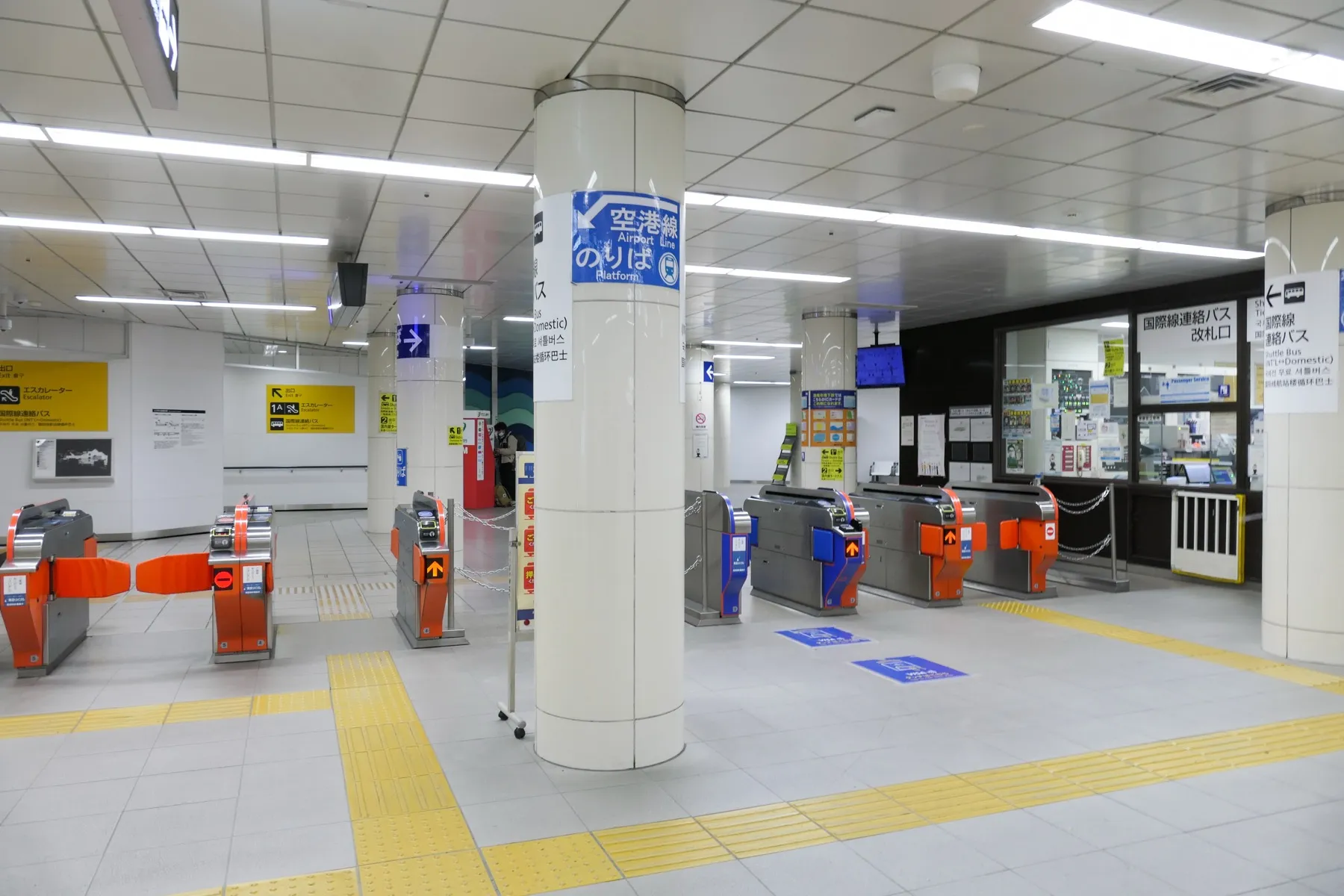
Fukuoka Airport’s international terminal was rebuilt and had its grand opening on 28 March 2025, with a far bigger duty-free floor and a post-security food court (Traffic News). The thing nobody tells you until you’re standing outside: the subway doesn’t reach the international terminal. Fukuoka Airport Station is under the domestic terminal, and a free shuttle bus links the two in about 10 minutes (airport access page). The photo above is the shuttle gate on the domestic side.
Free Wi-Fi. Join AirportFreeWiFi-2.4G or AirportFreeWiFi-5.0G, open a browser, accept the terms and tap 接続開始 (start connection). No registration, no limit on how often you connect, and it covers both terminals. It is unencrypted, so install your eSIM and check your messages on it, but don’t log into your bank (Minnano Rakuraku’s Fukuoka Airport Wi-Fi guide).
SIM counters. The international terminal’s 1F arrivals level has SIM and eSIM vending machines plus Wi-Fi and SIM rental counters. They work, they cost more than the plans above, and after a Korean or Taiwanese arrival wave you’ll queue. The sensible order is: eSIM installed at home, airport Wi-Fi only to confirm it connected.
Landing at Kitakyushu Airport (KKJ)
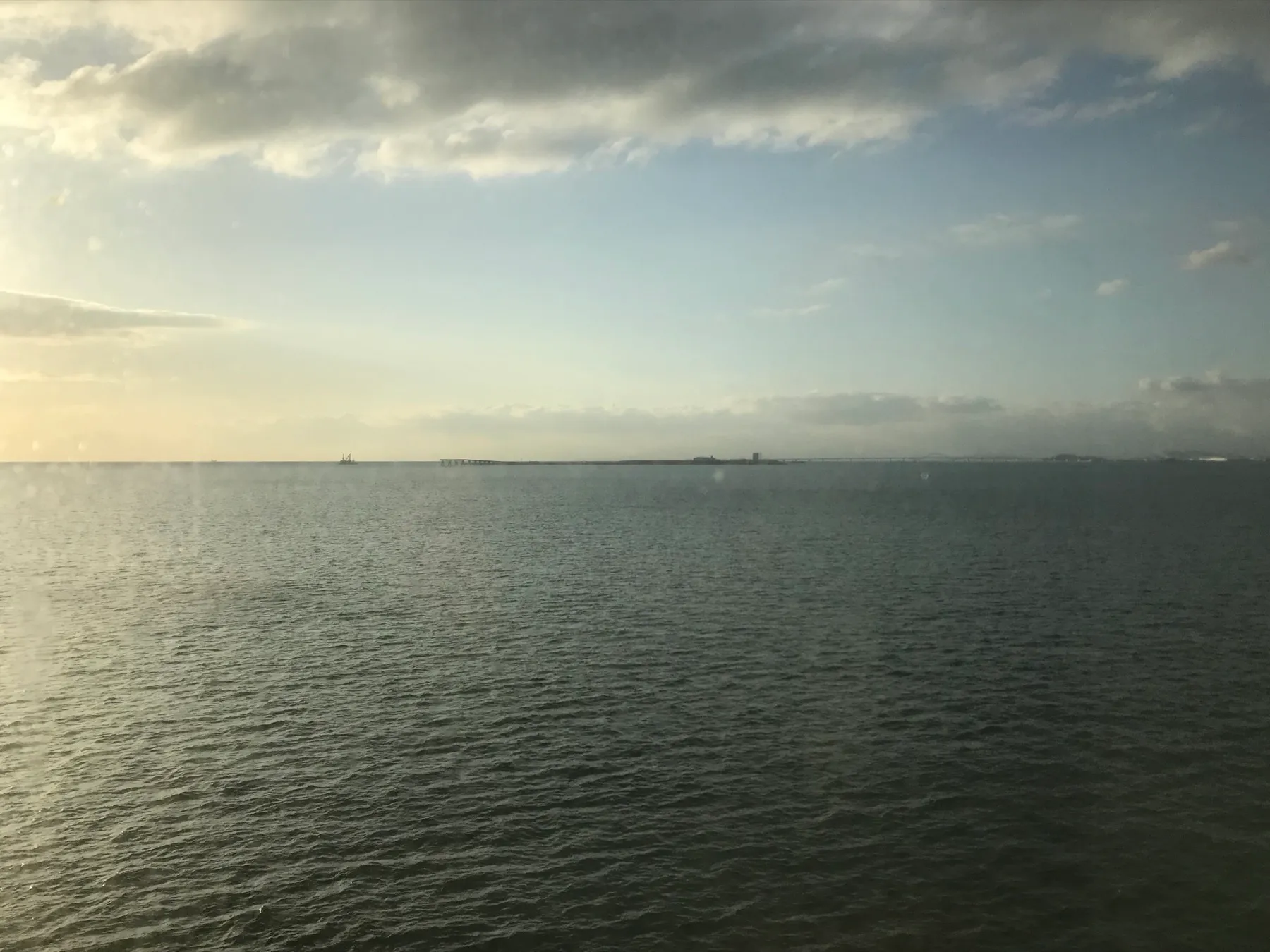
Kitakyushu Airport opened on 16 March 2006 on an artificial island 3 km off the coast in the Suo Sea, built from sediment dredged to deepen the Kanmon shipping channel. It has a 2,500 m runway, a 2,100 m access bridge and, because nobody lives under the flight path, it is Kyushu’s only 24-hour airport (Fukuoka Prefecture; MLIT). That’s why the late-night Tokyo flights land here. Internationally it currently has Jin Air from Seoul Incheon (with a Korean Air code-share), Aero K from Cheongju and Star Flyer from Taipei (kitakyu-air.jp, checked 2026-11-02).
Free Wi-Fi. The SSID is KKJ_airport_ap, available throughout the terminal building but not on the viewing deck. It is deliberately open with no encryption, and the airport logs connections and recommends a VPN for anything sensitive (airport Wi-Fi page). SoftBank Wi-Fi is also present.
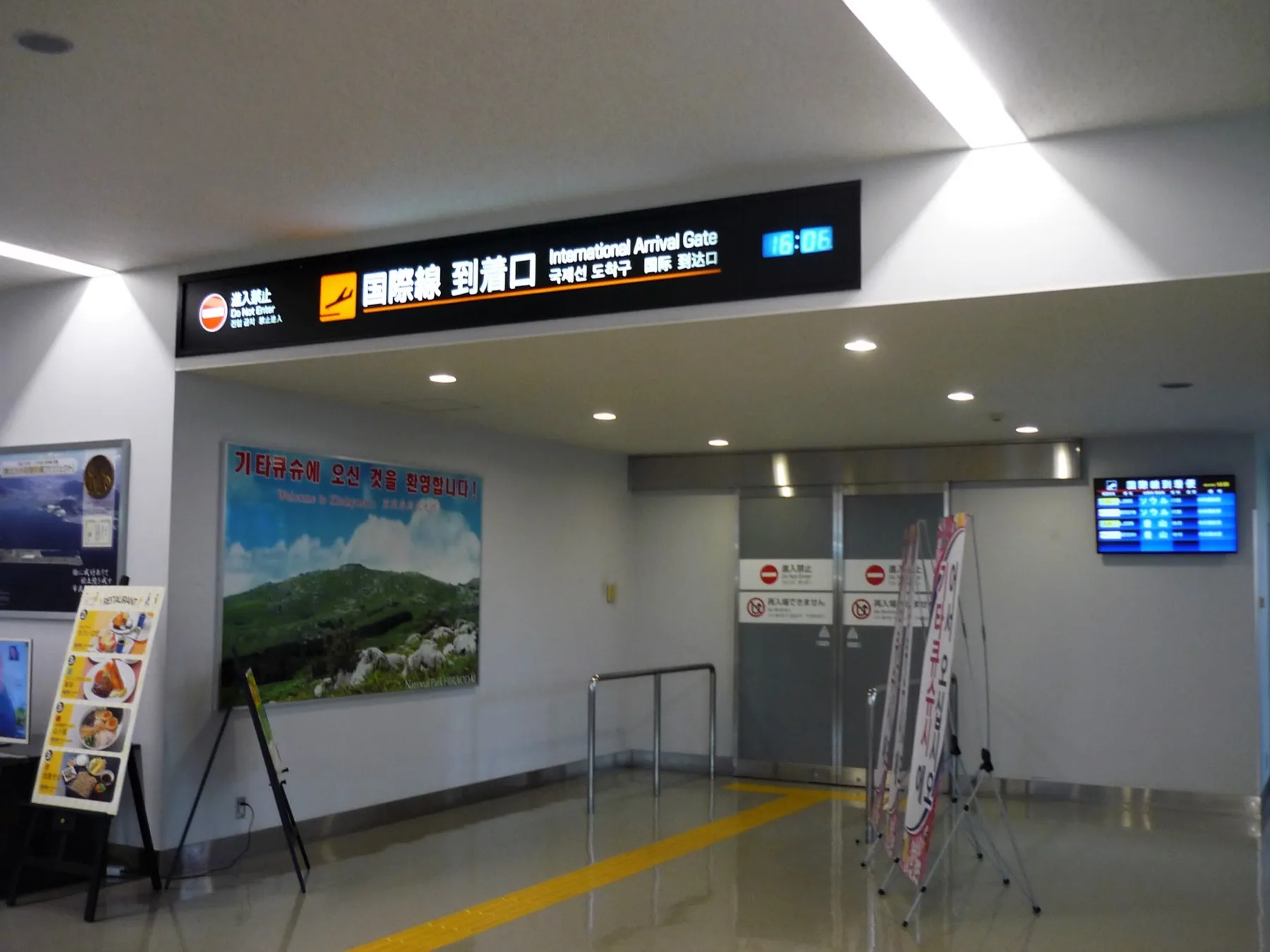
On the 1F arrivals floor there’s a domestic SIM vending machine by the international exit and a Wi-Fi rental pickup machine. The Kitakyushu Airport tourist information centre on 1F is open 9:00 to 18:00 every day and has Wi-Fi too. Our cover photo is the international arrivals gate you walk out of.
From here, the airport bus to Kokura Station is the usual way into town; the Kitakyushu hub has the full city guide.
Arriving by ferry from Busan
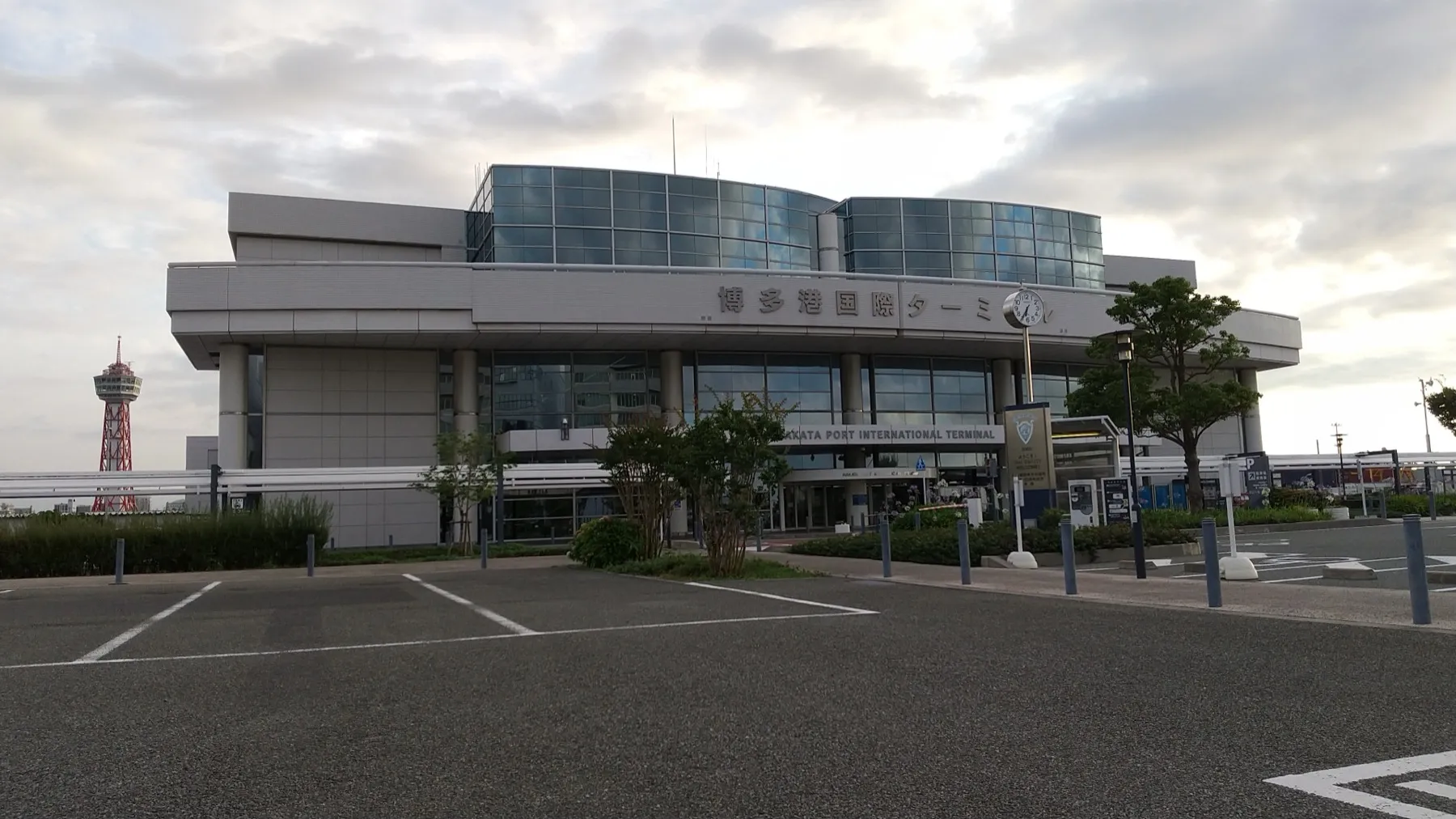
The New Camellia leaves Busan around 22:30 and docks at Hakata Port International Terminal around 07:30 the next morning; confirm the current timetable on camellia-line.co.jp. Camellia Line lists no onboard Wi-Fi, and nobody publishes mobile coverage for the strait, so plan for an offline night: download your Fukuoka maps, screenshot your ticket and hotel address, and install the eSIM before you board. When you walk off at Hakata, set the Japan eSIM as your data line and you’re online before immigration. We don’t promise free Wi-Fi at the port terminal, so don’t rely on it. The other Busan route, the Kanpu Ferry, docks in Shimonoseki across the strait from Moji; our Busan to Kitakyushu ferry guide covers both crossings.
Free Wi-Fi in Fukuoka and Kitakyushu in 2026
Fukuoka City Wi-Fi is gone. The city’s free network, launched in 2012, quietly ended on 31 March 2025; the city said it had done its job of building momentum for Wi-Fi (Nishinippon Shimbun). Cafes, convenience stores and hotels still have their own, but there’s no city-wide fallback any more, which is one more reason to carry an eSIM.
Kitakyushu still has one. KITAKYUSHU_Wi-Fi covers the Kokura Castle area including Shiro Terrace and the castle garden, Kokura Station’s 3F north-south passage and pedestrian decks, and parts of the shopping arcades around the Izutsuya crossing. Log in with a social account or an email link, and re-authenticate every hour. The city’s page was last updated in 2022 (Kitakyushu City), so check it’s still running when you arrive.
Tourist information centres with Wi-Fi. Kokura Station 3F, 9:00 to 19:00; Mojiko Station 1F, 9:00 to 18:00 (Kitakyushu City).
Set-up checklist
- Buy the plan at home: Airalo Japan, Yesim Japan or Drimsim.
- Install the eSIM profile on home Wi-Fi (Settings, Cellular or Connections, Add eSIM, scan the QR). Screenshot the QR in case.
- Don’t switch it on as your data line yet. Airalo’s validity starts at first connection in Japan; Yesim’s starts on connection and must be activated within 90 days of purchase.
- Label the line “Japan”. Leave your home SIM in for SMS, with its data roaming off.
- On landing or docking, turn on data roaming for the Japan line and set it as the default for data. Toggle airplane mode once if it doesn’t attach.
- If something fails, the airport Wi-Fi above is enough to reinstall or chat with support.
Once you’re connected, the Fukuoka hub and Kitakyushu hub have the city guides, and the travel tools hub has the rest of the arrival kit.
Data sorted, the first evening in Fukuoka writes itself: Klook’s Naka River night cruise and yatai dinner starts a short walk from Nakasu. For the Kitakyushu side, start with things to do in Kokura. Everything we’ve covered is on the tours hub. Booking through these links supports KitaQ.Travel at no extra cost to you.
FAQ
Which eSIM is best for a week in Fukuoka and Kitakyushu?
For most visitors, Airalo's Moshi Moshi 5 GB / 7 days at $10.00 (¥1,650, checked 2026-11-02). It runs on SoftBank and KDDI, both of which cover Fukuoka City, Kitakyushu and the trains between them. If you want flexibility on dates, Yesim's 5 GB is valid 30 days for $10.56.
Is there free Wi-Fi at Fukuoka Airport?
Yes. Join AirportFreeWiFi-2.4G or AirportFreeWiFi-5.0G, open a browser, accept the terms and tap the connect button. No registration and no time limit, but the network is unencrypted, so avoid banking on it. It covers the international and domestic terminals.
Does Kitakyushu Airport have free Wi-Fi?
Yes, the SSID is KKJ_airport_ap, available throughout the terminal building but not on the viewing deck. It is open and unencrypted. The 1F tourist information centre (9:00 to 18:00) also offers Wi-Fi.
Can I buy a SIM card at Fukuoka Airport?
Yes. The international terminal's 1F arrivals level has SIM and eSIM vending machines and Wi-Fi/SIM rental counters. They cost more than an eSIM bought online in advance and you may queue behind a planeload of arrivals, so we recommend installing an eSIM before you fly.
Will my eSIM work on the Busan to Fukuoka ferry?
Camellia Line lists no onboard Wi-Fi and publishes nothing about mobile coverage at sea, so plan for none. Download your maps, tickets and hotel address before boarding, and switch the Japan eSIM on as your data line once you dock at Hakata Port.
Does Fukuoka still have free city Wi-Fi?
No. Fukuoka City Wi-Fi, launched in 2012, ended on 31 March 2025. Kitakyushu's KITAKYUSHU_Wi-Fi still covers the Kokura Castle area, Kokura Station's 3F passage and some shopping streets, with social or email login and hourly re-authentication.
Photo credits
- The international arrivals gate inside Kitakyushu Airport's terminal: Suikotei, CC BY-SA 4.0, Wikimedia Commons
- The shuttle bus gate for international flights at Fukuoka Airport Station: MaedaAkihiko, CC BY-SA 4.0, Wikimedia Commons
- Kitakyushu Airport's island in the Suo Sea, seen from a ferry: そらみみ, CC BY-SA 4.0, Wikimedia Commons
- Hakata Port International Terminal building: Hirho, CC BY-SA 4.0, Wikimedia Commons


